 BlobberVault
Private knowledge base for memorable blobs
BlobberVault
BlobberVault
Private knowledge base for memorable blobs
BlobberVault Find anything you saved—even when you only remember vaguely what it looked like or talked about.
BlobberVault indexes screenshots, bookmarks, saved posts, and other blobs on your Mac. On-device NLP, ML, and AI enrich and interconnect what you saved—so you can search by meaning, text, or vague visual memory, with evidence for every result.
No account required · Originals stay in place · Local by default · Signed and notarized
Detecting architecture…
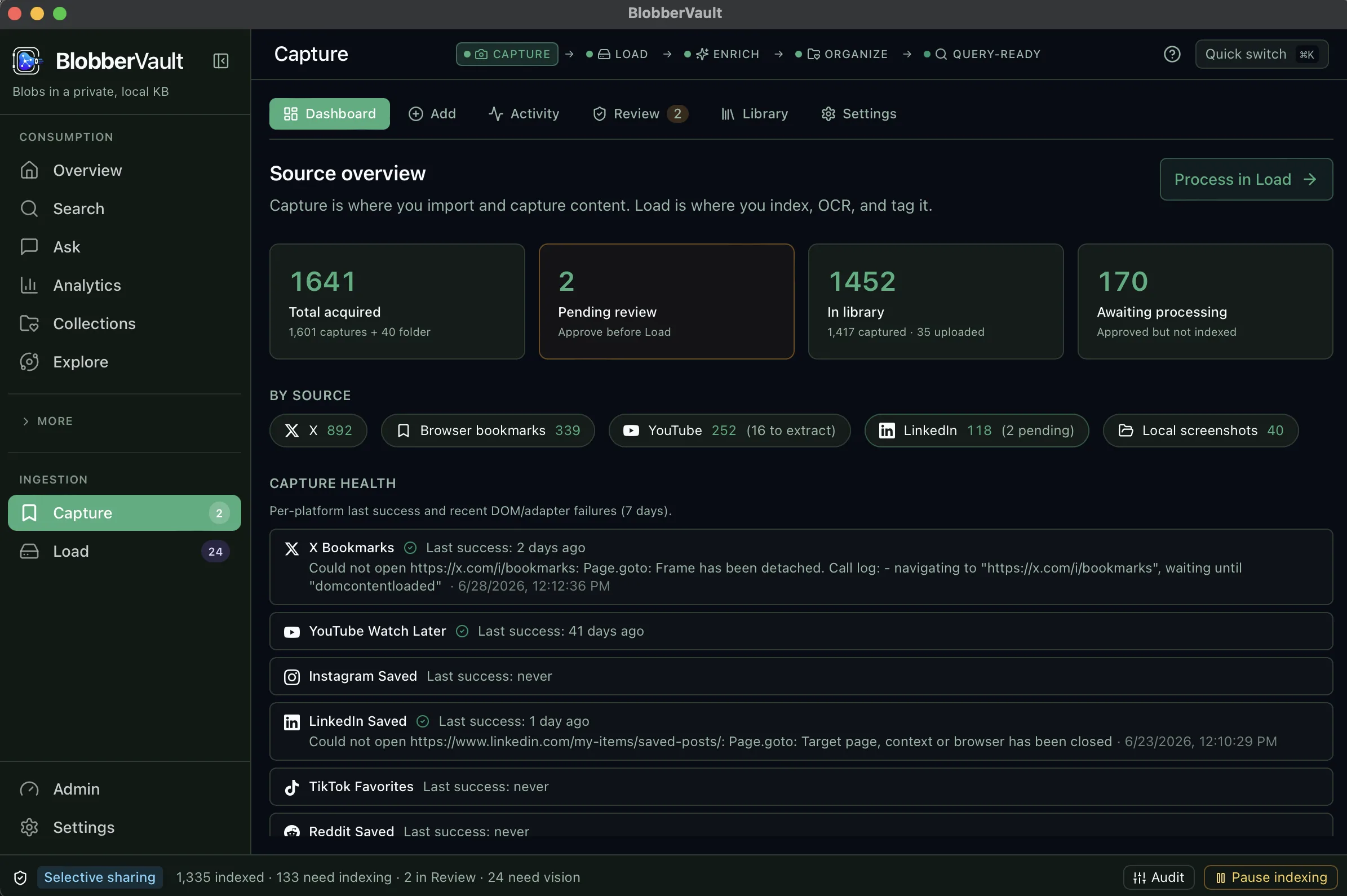
Capture from bookmarks, posts, and local folders
What is a blob?
A blob is one saved unit of memory — screenshot, bookmark, post, PDF, or page. BlobberVault turns a folder of them into a private knowledge base you can search by meaning.
Enrich and interconnect what you saved
Point at a folder. On-device OCR, tags, and NLP/ML/AI enrich and link blobs in place — originals stay put; you reopen what you meant to revisit.
Agents can see the vault
Optional local MCP lets Cursor or Claude query your vault while BlobberVault is open — no cloud library upload. Details in Docs → Local MCP.
From folder to answer
One local, resumable pipeline — every hit carries OCR, tags, scores, and path.
| Stage | What happens | Where |
|---|---|---|
| Link folders or Capture; originals never copied by default. | local | |
| On-device vision turns screens into searchable text and explainable tags. | local | |
| Embeddings land in local LanceDB when the semantic pack is available. | local | |
| OCR, tags, filters, and evidence in one hub. | local | |
| Hybrid RAG with citations from your vault. | local |
Click a stage name for evidence details.
What runs where
What ships in the DMG versus optional packs — no marketing fog.
| Capability | On-device | Cloud | Packaged story |
|---|---|---|---|
| Folder link / index | Yes | Never | In DMG |
| OCR & structured tags | Yes | Never | In DMG |
| Search with evidence | Yes | Never | In DMG |
| Ask (local RAG) | Yes | Never | Python in DMG; weights optional |
| OpenAI query planning | Off by default | Metadata-only if enabled | Keychain key |
| Capture (LinkedIn / X / YouTube) | Yes | Never uploads library | System Chrome via CDP |
| SmolVLM | Yes when downloaded | Never | Weights in-app only |
| MCP fleet | Yes | Never | In DMG (slim) |
| Export Markdown / JSON | Yes | Never | In DMG |
Strict Local by default
Blobs you saved stay on-device during indexing — images, thumbnails, crops, embeddings. Optional OpenAI planning is metadata-only when you enable it. See Privacy.
Your disk
Originals
~/Pictures · Downloads · linked folders
never copied by default
BlobberVault
Index
~/Library/Application Support/PhotoKB/
SQLite · LanceDB · thumbs (derived)
FAQ
-
What happens to my doom-scrolling trail?
- Screenshot folders and “saved for later” piles become searchable blobs in a private local vault — so you can find material you already collected but never reopen.
-
Can I reopen bookmarks and saved posts I hoarded?
- Yes. Link a folder; OCR, tags, and on-device NLP/ML/AI enrich and interconnect your blobs so you can find screenshots, bookmarks, and saved posts again on your Mac.
-
Is this personal local AI or a cloud product?
- Personal local AI for visual memory: indexing and search run on-device by default. Optional OpenAI query planning (when you enable it) is metadata-only — not a hosted SaaS vault.
-
How does local MCP work for agents?
-
The DMG includes a slim
photokb-mcpbinary. Keep BlobberVault open so Cursor or Claude can query your vault locally — not a cloud MCP host. See Docs → Local MCP. -
Are search results thorough and explainable?
- Yes. Hits expose evidence — OCR text, tags, scores, and source path — so retrieval stays thorough and explainable, not a black-box cloud ranking.
Get the Mac app
Apple Silicon DMG — signed and notarized.